Media library

Every film, post and page.
In one place, from idea to posted.

Everything your AI makes for your business lands here. Watch it, approve it or send it back with a note, and see how it did once it's out.
10 kinds of work, one library7 steps from idea to posted1 tap to approve a version

Media library, in the Company of One app (Studio Nova demo company), on an iPad
Media library, in the Company of One app (Studio Nova demo company), on a phone

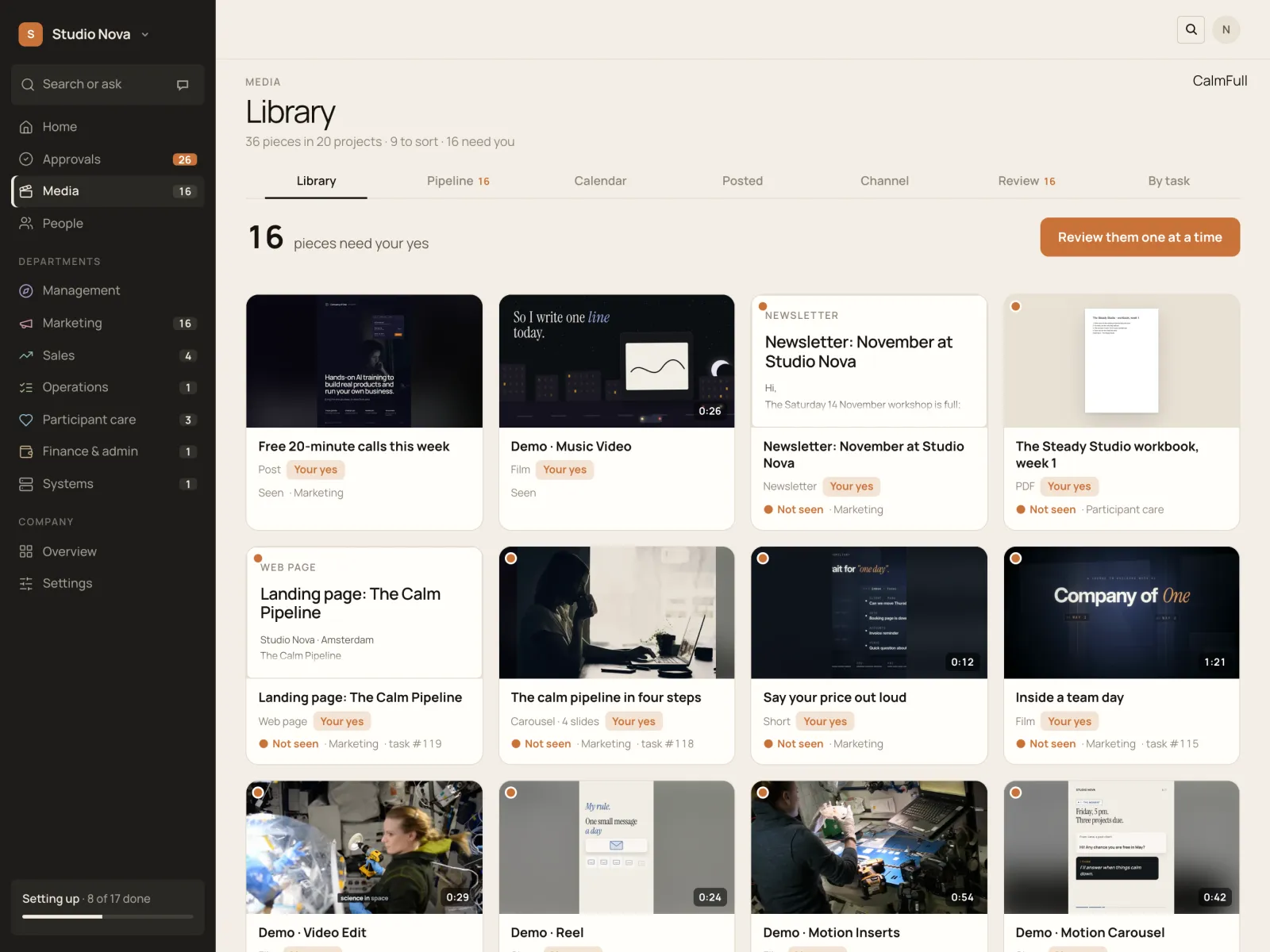
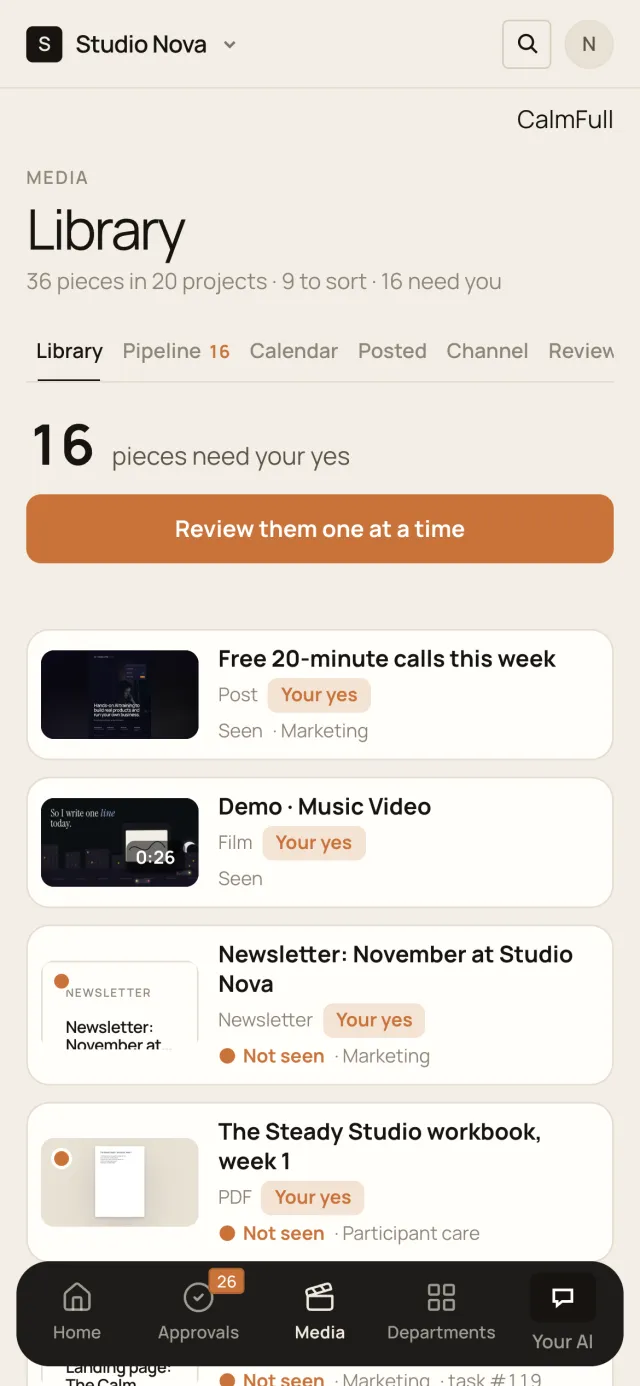
One library

Films, Shorts, posts, newsletters, PDFs and music.

Every piece with its picture, version, status and the task that made it.

  • Search and filters you can combine
  • Projects as albums; one yes sorts the rest
  • Every output next to the task that made it
Media library, in the Company of One app (Studio Nova demo company), on an iPad
Media library, in the Company of One app (Studio Nova demo company), on a phone

A viewer for every kind

See it the way your audience will.

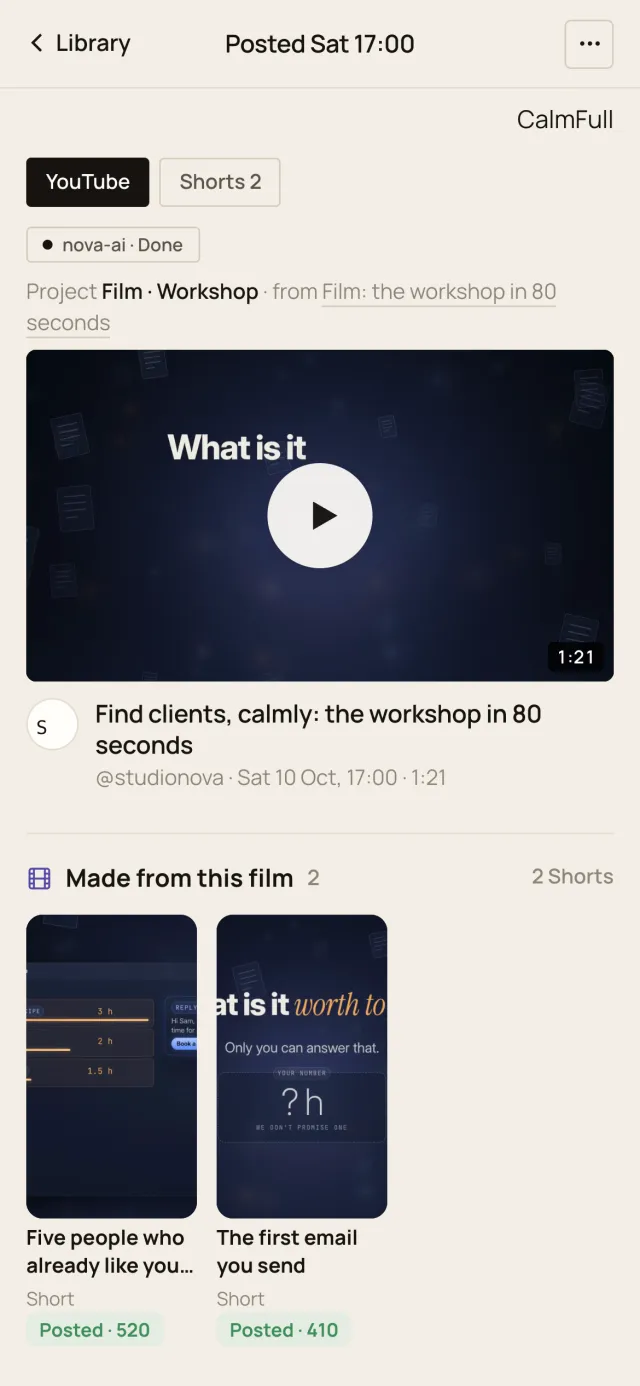
Films in a pro player, Shorts full screen, carousels that swipe, posts in their own frame.
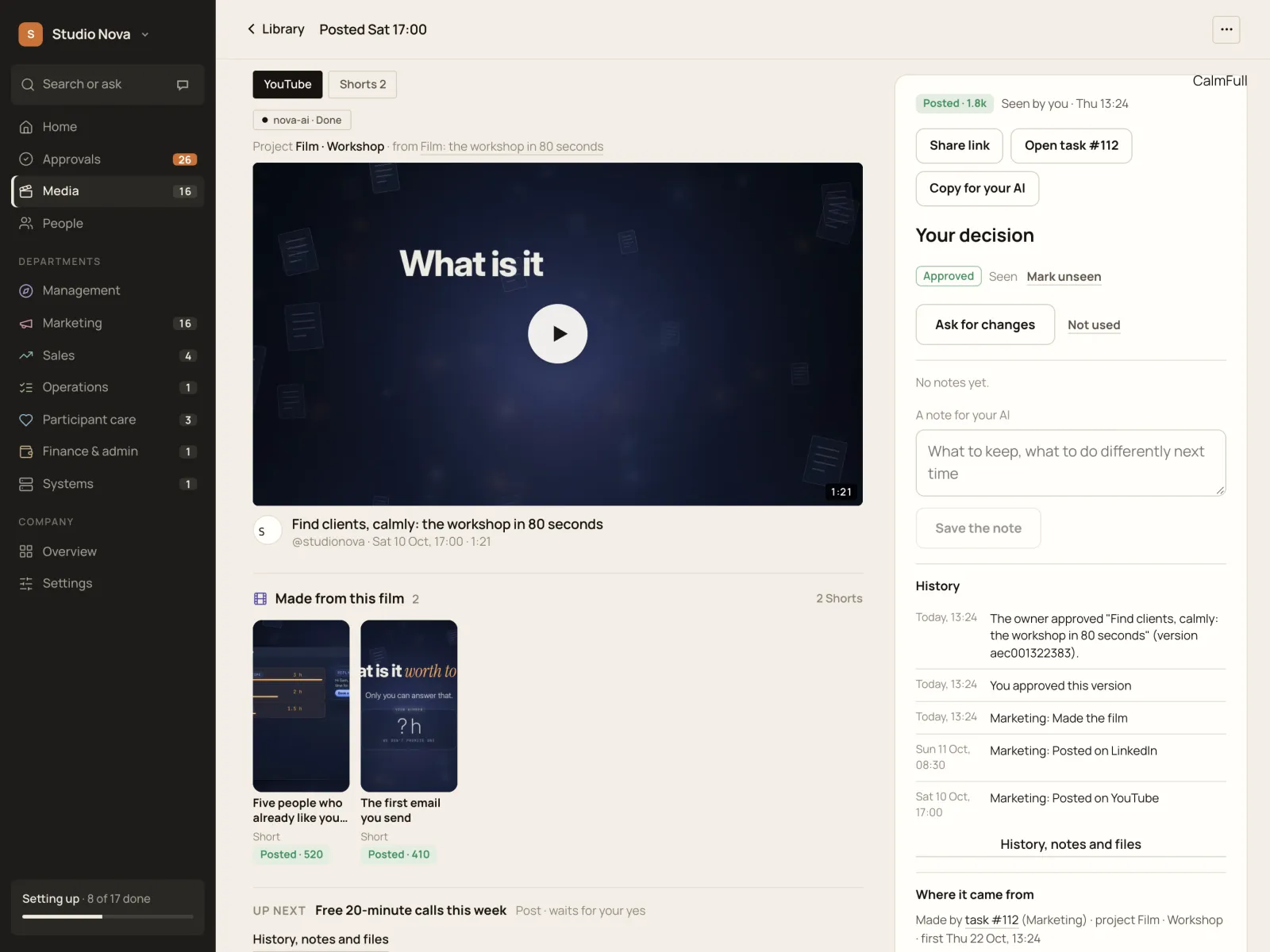
  • Keyboard shortcuts, scrub preview, picture-in-picture
  • Documents and PDFs open inline
  • Music on a waveform player that keeps playing
A film and its Shorts, in the Company of One app (Studio Nova demo company), on an iPad
A film and its Shorts, in the Company of One app (Studio Nova demo company), on a phone

Review and approve

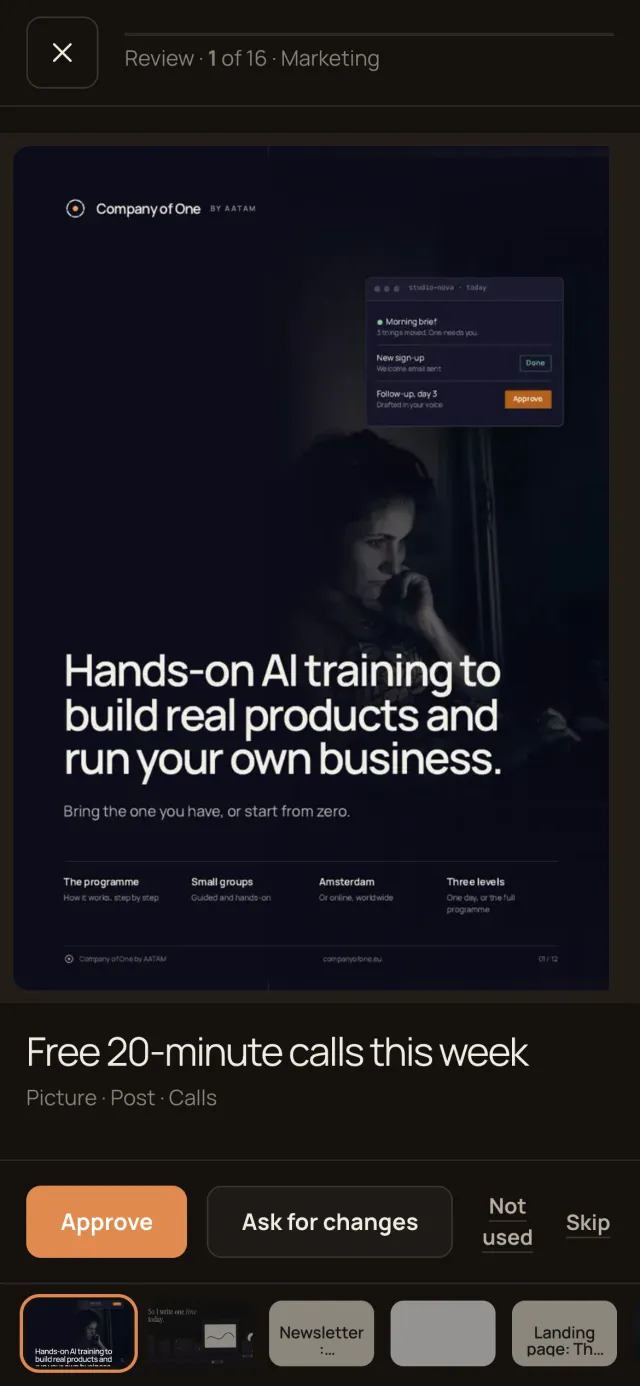
Approve the exact version you watched.

Approve, ask for changes with a note, or mark it not used. One piece at a time.
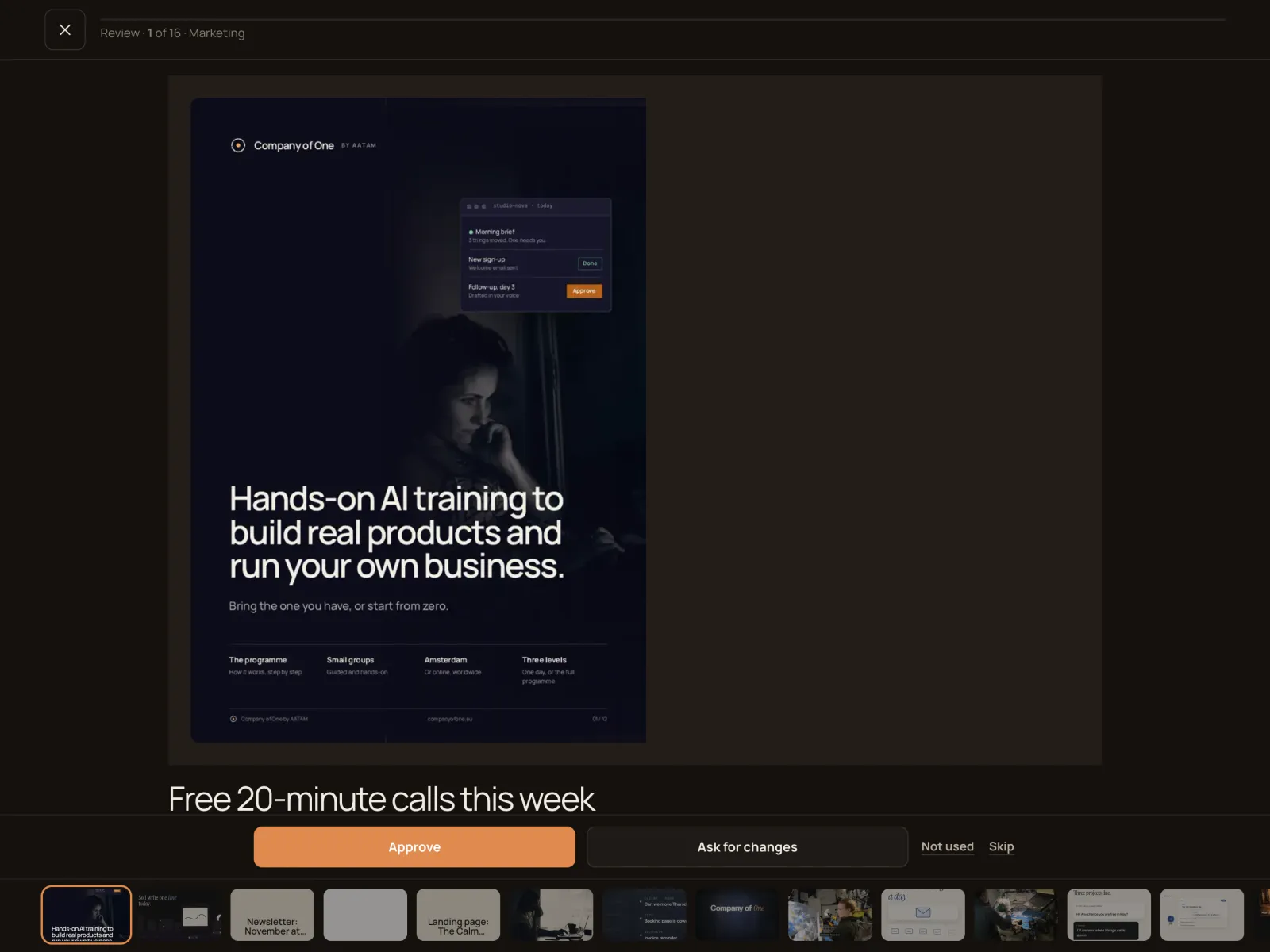
  • Review mode with keys: A approve, C changes
  • Every version kept, with what changed
  • Your notes go straight back to your AI
Review, in the Company of One app (Studio Nova demo company), on an iPad
Review, in the Company of One app (Studio Nova demo company), on a phone

Pipeline

From idea to posted, in plain sight.

Idea, script, making, your review, approved, scheduled, posted.
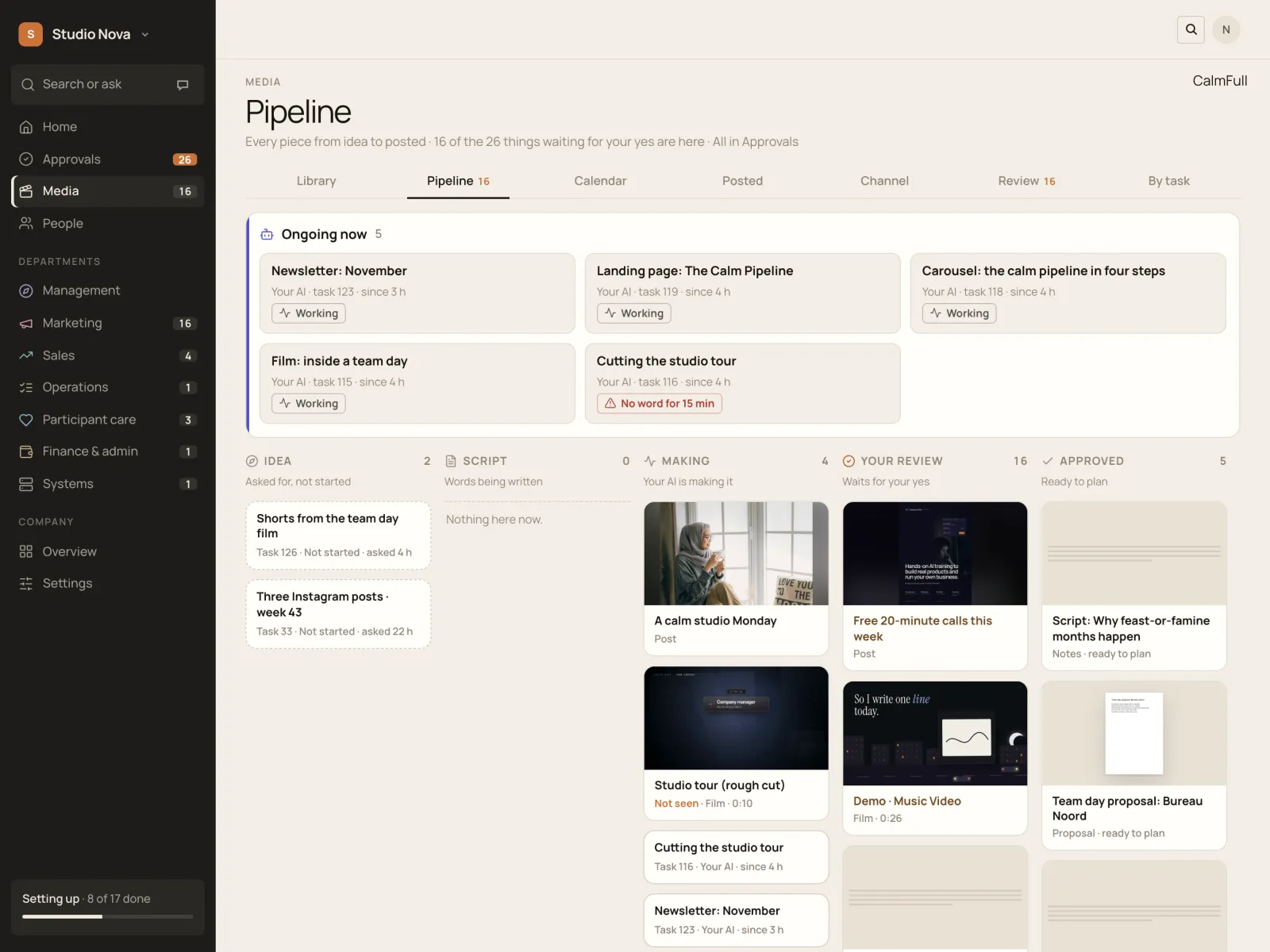
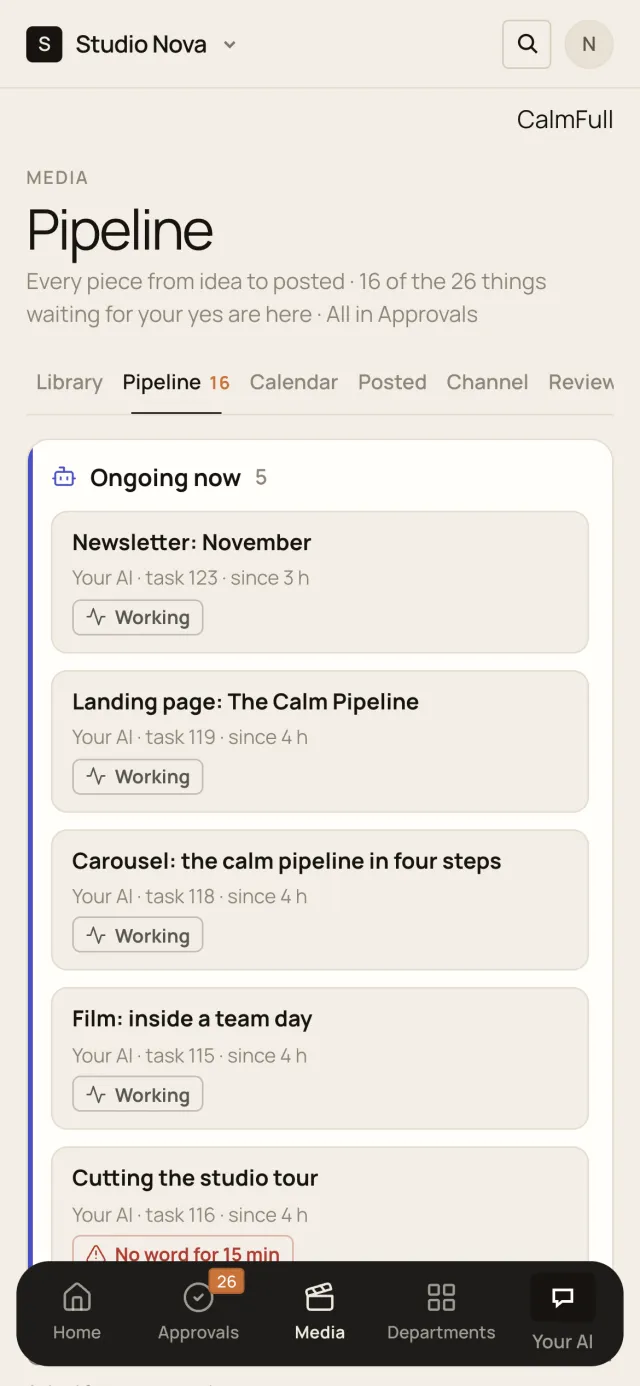
  • See what your AI is making right now
  • Work that goes quiet is flagged
  • Counts at every step
Pipeline, in the Company of One app (Studio Nova demo company), on an iPad
Pipeline, in the Company of One app (Studio Nova demo company), on a phone

Calendar

Every channel, every day, on one calendar.

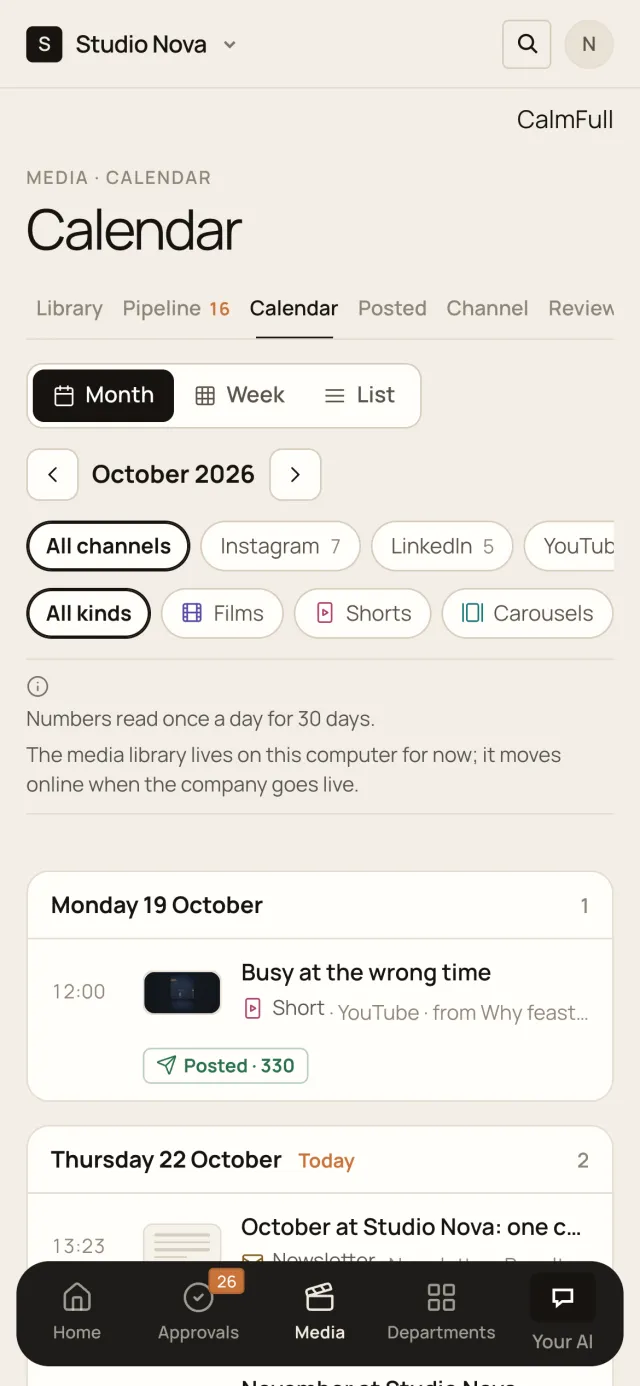
Month, week and list views, with posters and status on every post.
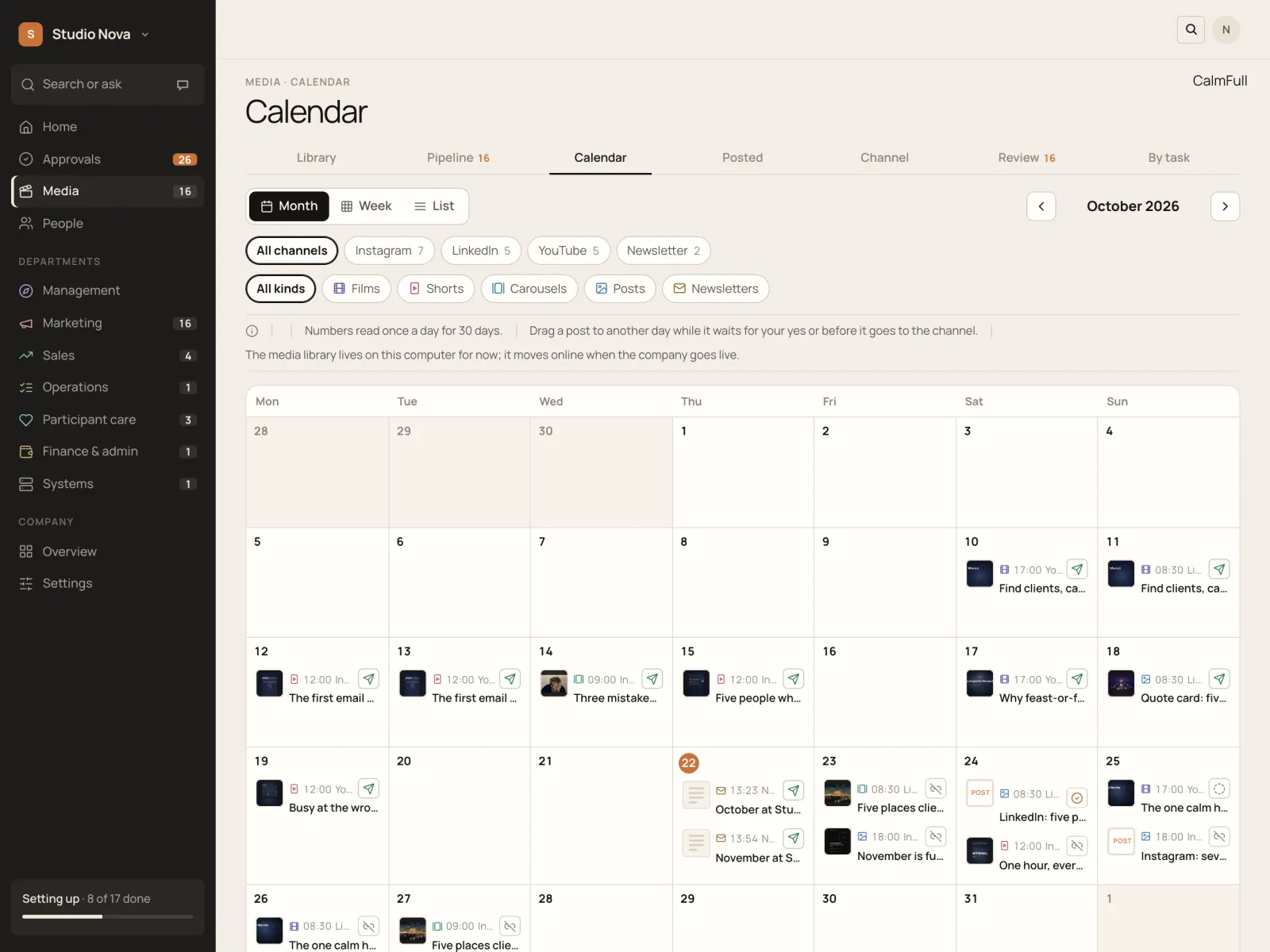
  • Drag a post to another day
  • Three best times from your own past posts
  • Filter by channel and kind
Calendar · Month, in the Company of One app (Studio Nova demo company), on an iPad
Calendar · Month, in the Company of One app (Studio Nova demo company), on a phone

Channels and results

Know which post brought you customers.

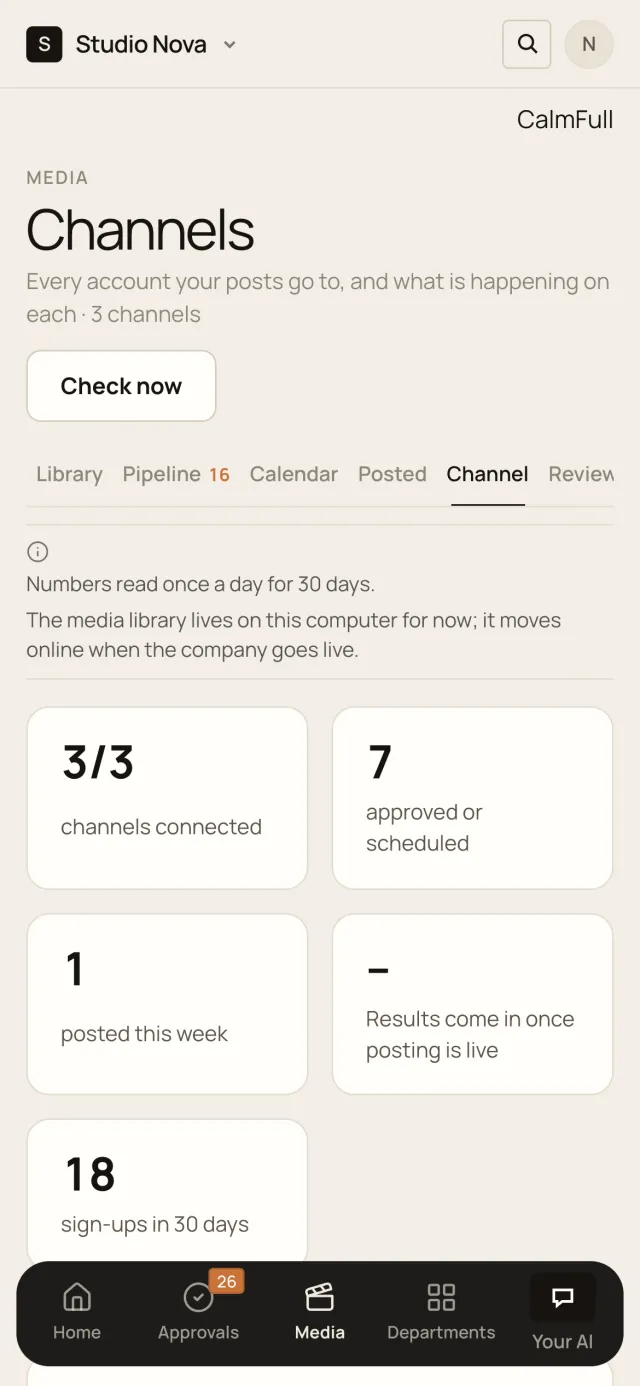
Views, likes and comments per post, and the sign-ups each one brought.
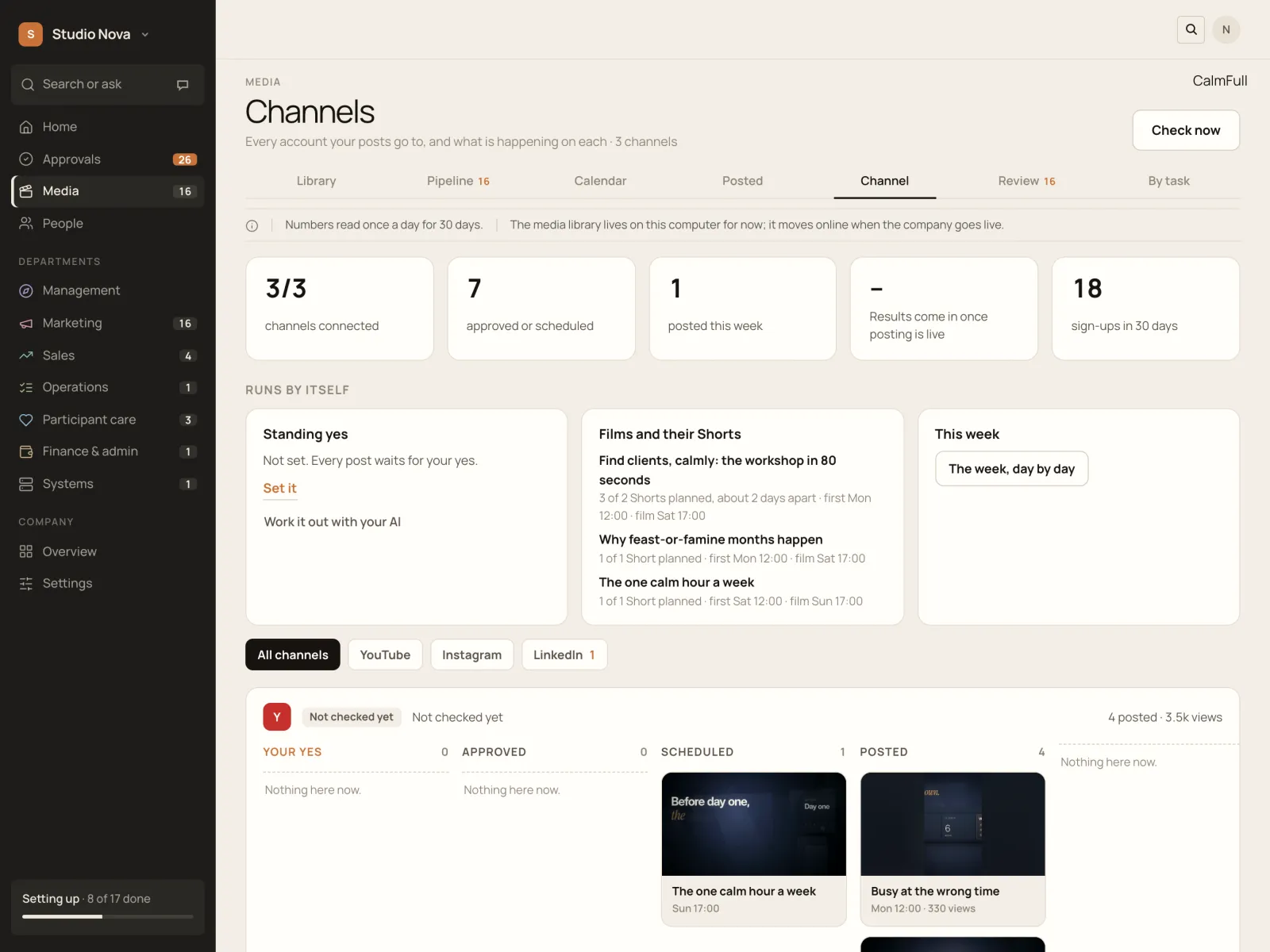
  • Each channel with its own pipeline
  • Standing rules for what may post without asking
  • Films with their Shorts, spaced out over days
Channels, in the Company of One app (Studio Nova demo company), on an iPad
Channels, in the Company of One app (Studio Nova demo company), on a phone

Everything inside.
Built and working today.

The whole media library, in six parts.

01

One library

  • Every kind of piece in one place
  • Combine search, kind, department and project
  • Projects as albums, with a To sort tray
  • Every output beside the task that made it
02

One viewer

  • Films in a pro player that remembers where you stopped
  • Shorts full screen, swipe for the next
  • Carousels and posts in their real frame
  • PDFs, documents and music, inline
03

Review

  • Approve only what you've watched
  • Ask for changes with a note
  • Every version and its history
  • A link from your AI opens the decision
04

Pipeline and calendar

  • Seven steps from idea to posted
  • What your AI is making right now
  • Month, week and list calendar
  • Drag to reschedule, best times suggested
05

Results

  • Views, likes and comments per post
  • Sign-ups traced to the post that brought them
  • Films linked to their Shorts and carousels
  • Pick a title and thumbnail from three
06

Sharing and housekeeping

  • Share links that expire, switch off any time
  • Upload links for others, no account needed
  • Delete and restore, nothing lost by accident
  • Costs logged on the piece that made them

Get started

All of it, set up with you.
On your own accounts.

Good to know: results come in once your channels are connected, channel numbers are read once a day, and the library moves online when your company goes live. Screens show the Studio Nova demo company.